Android Enterprise Factory Reset Protection
Android Enterprise Factory Reset Protection (EFRP) allows an admin to add a Google account or accounts that can unlock an Android device after a hard reset.
- Select the Libraries tab in top navigation.
- Select Restriction Sets.
- New restrictions only.
- Select Android from the Add New dropdown.
- Name the new restriction set.
- Existing restrictions only.
- Select a Restrictions Set Name.
- In the right panel, click Edit.
- Under Device Functionality, underAllow Enterprise Factory Reset Protection.
- Add the desired email address.
- Add the Google Account ID for the email. To get a Google account ID, follow these steps
- Sign in to a browser with the Google account that is to be used
- Go to the Google People API - Method: people.get | People API | Google for Developers
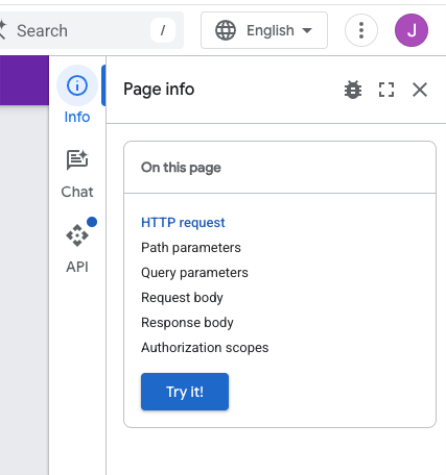
- Click on the Try It button on the right.
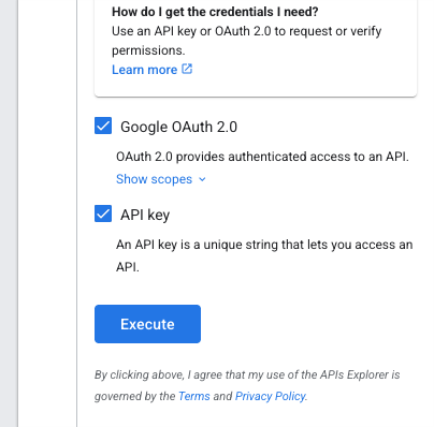
- Keep the default settings and hit Execute
- This should then return a 200 response with a JSON and the account identifier in the id field as part of the sources object.
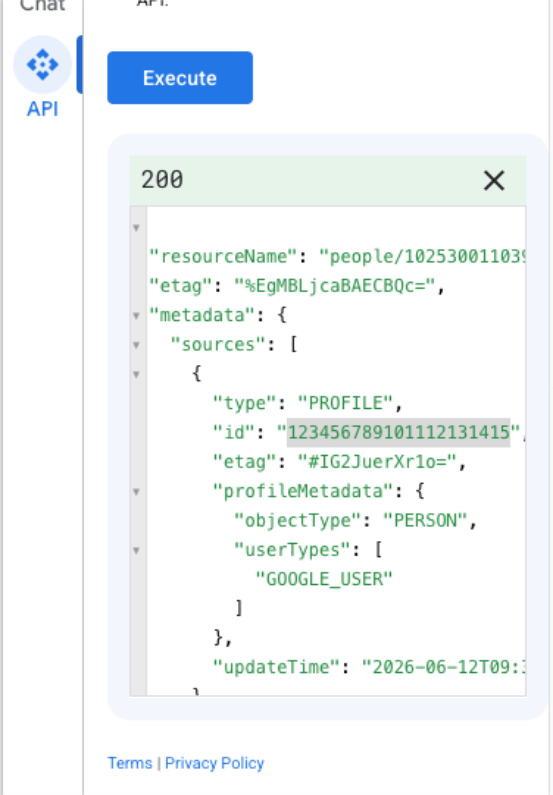
- Copy the id value into the Google Account ID field in the restriction set.
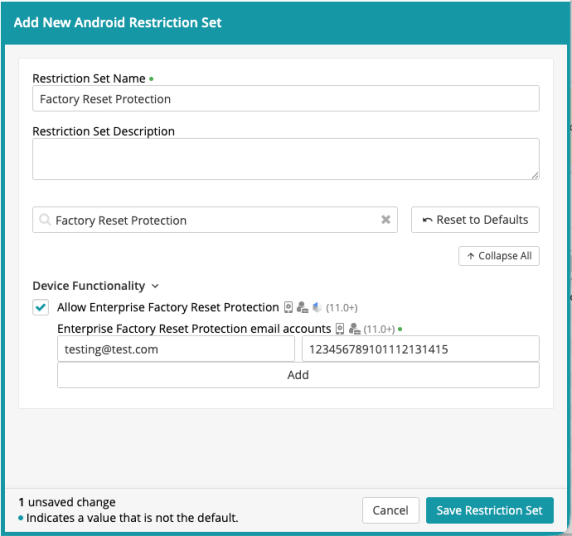
- Click Save Restriction Set.
After a reset on an Android device where factory reset protection has been enabled, the email account in the restriction set should be able to unlock and enroll the device.